How to solve business problems before year-end: a 5-step guide for growing businesses
Every December, a familiar line gets copied from one year's plan into the next. "Fix the order process." "Get the systems talking." "Build the client portal." "Figure out AI."
If you lead a growing business, you probably have one of these. It has survived budget meetings, a few vendor demos and at least one "let's revisit this next quarter." Don't carry it into 2027. This guide shows you how to solve business problems like that one in the time left before the year ends, or at least how to start January knowing exactly what the problem is, what it costs and what the fix should be.
It's written for founders, CEOs and operations leaders who don't have a technology leader on staff. It's the same method we use with clients at True Lean Solutions, laid out so you can run it yourself.
Why some business problems survive a whole year
When a problem has lasted twelve months, it's rarely because it's technically difficult. In our experience it survives for one of three reasons.
1. It was written down as a solution
"We need a new CRM." "We need an app." "We need AI." Each of these describes a purchase, not a problem. Once a problem is phrased as a product, every conversation turns into a vendor comparison, and nobody checks whether the product would have fixed anything.
2. Its cost is spread thin
Ten minutes of re-keying here, a status meeting there, a spreadsheet someone rebuilds every Friday afternoon. No single loss is big enough to force a decision, but together they add up.
Asana's Anatomy of Work research, based on a survey of more than 10,000 knowledge workers, found that people spend about 60% of their time on "work about work": chasing updates, searching for information and switching between apps. Very little of that shows up as a line in anyone's budget, so very little of it gets fixed.
3. It looks too big to start
A problem that seems to need a big project waits for a big budget and a quiet quarter. Neither arrives. Yet small projects are the ones that work. The Standish Group has tracked software project outcomes since 1994, and its 2015 CHAOS data found small projects were at least ten times more likely to succeed than large ones.
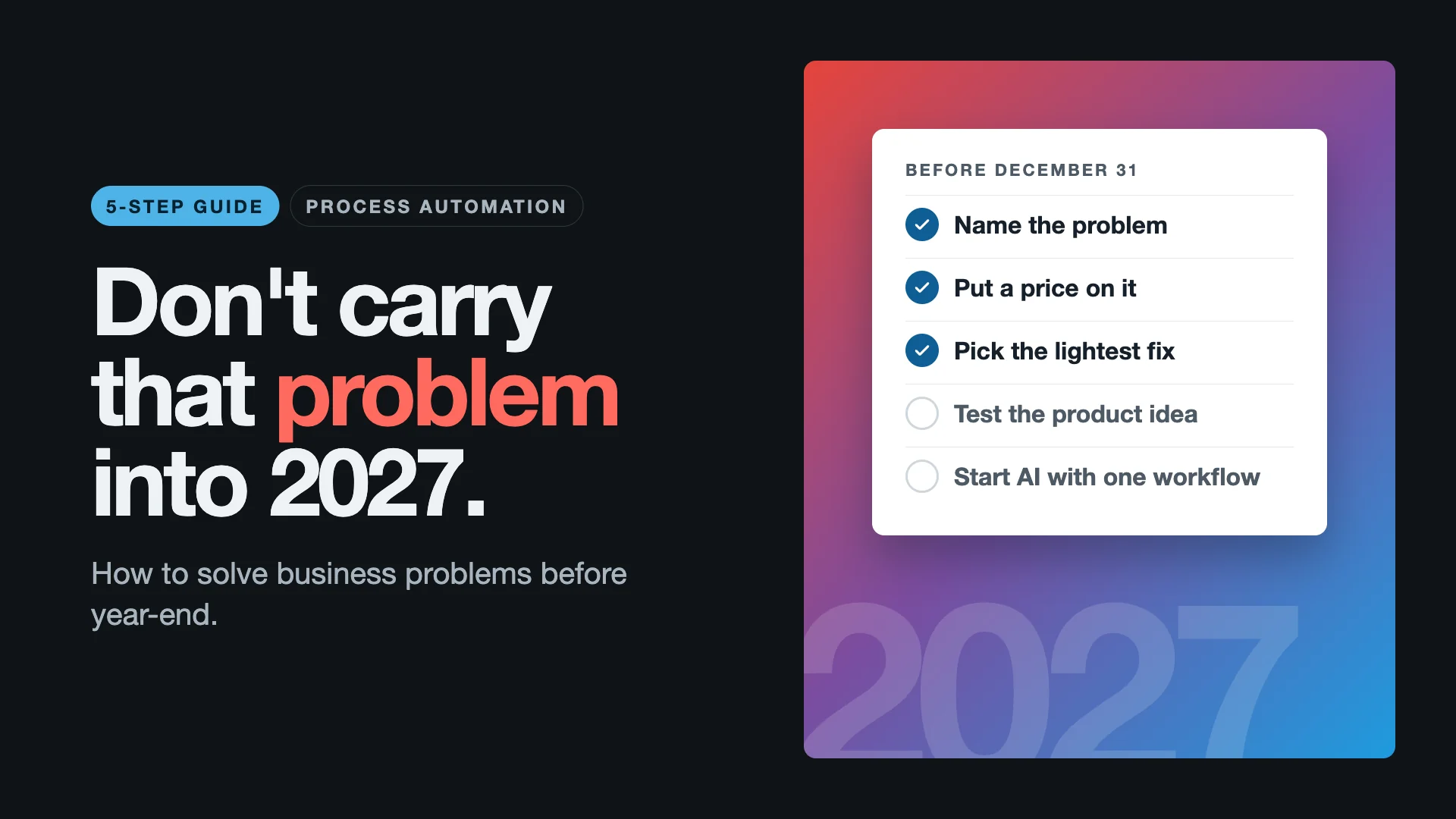
So the job is to make the problem specific, put a price on it, and shrink it to something you can start. The five steps below do that.
Step 1: Define the problem without naming a technology
Clear problem definition is the foundation of any business process improvement for small business. Skip it and every later decision rests on a guess.
Write a one-sentence problem statement
Use this template:
[Who] spends [time or money] on [what] because [cause], and the result is [consequence].
Example:
Our three account managers each spend about six hours a week copying orders from email into the ERP, because the web store and the ERP don't share data, and the result is shipping errors that cost us repeat customers.
This sentence doesn't mention a CRM, AI, a platform or an app, and that's deliberate. If you can't write the sentence without those words, you're still describing a solution.
Use the 5 Whys to find the root cause
The 5 Whys is a root cause analysis technique that came out of Toyota's production system and sits at the center of lean thinking. You state the problem, ask why it happens, then ask why again about each answer. Five rounds is a guide, not a rule. You stop when you reach a cause you can act on.
| Question | Answer |
|---|---|
| What's the problem? | "We need a new CRM." |
| Why? | Sales can't see where an order is. |
| Why? | Order status lives in the ERP, and sales works in the CRM. |
| Why does that matter? | Someone copies updates between them by hand. |
| Why is that a problem? | It happens late or not at all, so customers get wrong answers. |
| Root cause | The two systems don't share order status. |
The business doesn't need a new CRM. It needs two systems that share one piece of data. That fix can cost a fraction of a CRM migration and take weeks instead of months.
Get agreement before moving on
Read the sentence to the people who live with the problem every day. If they say "that's it, exactly," move to step 2. If they start correcting you, you've just saved yourself from fixing the wrong thing.
Step 2: Calculate what the problem costs
A problem with a cost attached gets decided. A problem without one gets discussed.
The formula
Annual cost = hours lost per week × people affected × hourly cost including benefits × 48 working weeks plus the cost of errors plus the cost of delays
A worked example
The figures below are illustrative. Replace them with your own.
| Input | Example value |
|---|---|
| People affected | 4 |
| Hours lost per person per week | 5 |
| Hourly cost including benefits | $40 |
| Working weeks per year | 48 |
| Annual labor cost | $38,400 |
| Errors per month × cost per error | 6 × $150 |
| Annual error cost | $10,800 |
| Total annual cost | $49,200 |
What the number tells you
It tells you two things:
- Whether to act now. A $49,000-a-year problem deserves attention before January. A $3,000-a-year problem may not.
- What the fix should cost. As a rule of thumb, if the fix costs more than one or two years of the problem, look for a smaller fix.
You won't get the number exactly right, and you don't need to. A cautious estimate your team believes is worth more than a precise one nobody trusts. Measuring the cost of manual data entry this way also gives you a baseline to prove the fix worked later.
Step 3: Choose the lightest fix that will hold
Most leaders jump straight to building or buying something. Climb this ladder instead, and stop at the first step that solves the problem.
| Step | Fix | When it fits | Typical signal |
|---|---|---|---|
| 1 | Remove the step | The work adds no value | Reports nobody reads, approvals nobody refuses |
| 2 | Set up what you already own | Your current tools can do it | Features you pay for but don't use |
| 3 | Connect your systems | Data exists but sits in the wrong place | The same data typed into two or more tools |
| 4 | Automate the workflow | The process is right but repetitive | Copy, paste, check, send, repeat |
| 5 | Build custom software | Your workflow really differs from what tools assume | Workarounds stacked on workarounds |
| 6 | Add people | What's missing is skill or capacity | The right process with nobody to run it |
Why you start at the bottom
Lean thinking says to remove waste before you automate it. Automating a broken process just produces the wrong result faster. Each step up the ladder costs more and takes longer, so the lowest step that holds is almost always the best value.
System integration for small business: an example
A logistics client of ours ran six platforms that didn't talk to each other. Staff spent more than 20 hours a week on manual entry, and fulfillment errors were costly. The fix connected the six systems instead of adding a seventh. Manual data entry fell by 73%, fulfillment errors dropped close to zero, and the business now saves about $3 million a year in operating costs.
That was step three. If your team types the same data into more than one tool, read our perspective on building custom integrations and when to connect instead of replace.
Workflow automation: an example
A professional services firm managed its projects across email, spreadsheets and tools that didn't connect. A custom workflow system with automated onboarding, central project tracking and billing integration removed 15 hours of manual work a week. Client onboarding went from three days to four hours.
Build vs buy software: how to decide
When you reach step five, this is the question that matters.
| Buy off-the-shelf when | Build custom when |
|---|---|
| Your process is standard for your industry | Your process is part of how you win |
| A tool covers 80% or more of what you need | Every tool forces workarounds |
| You can change your process to fit the tool | Changing the process would cost you customers or margin |
| Speed matters more than fit | Off-the-shelf costs grow with every user or transaction |
Being honest about this question protects your budget. Sometimes the right answer is the tool you can buy this afternoon. Our article on when a home-grown ERP beats an off-the-shelf platform covers the other side.
Step 4: If it's a product idea, test the riskiest assumption first
Many founders end the year with a software product they still haven't built. It's tempting to start coding in December so the year counts for something. Hold off.
Why most products fail
CB Insights has studied startup post-mortems for years. "No market need" is consistently the most cited reason startups fail, appearing in roughly 35% to 42% of them depending on the year. Most of those products were built well. They were built for a need that wasn't there.
A practical approach to MVP development
1. Name the assumption that would sink the idea. Usually it's one of these:
- People will pay for this.
- People will change how they work to use it.
- We can reach buyers at a cost that makes sense.
2. Test it as cheaply as you can. Talk to 15 to 20 likely buyers. Show them a clickable prototype. Or run the service by hand for ten customers before automating anything.
3. Map what the product must do before anyone estimates it. We once helped define a platform from a blank page: no specification, no team, only a market thesis. The team agreed on nine areas the platform had to cover, broke each into features and functions, and fixed the scope of three delivery phases before any development began. It sounds slow, but it's what made the estimates and the progress reports mean something.
4. Define version one by what it must prove. An MVP with one feature that proves demand beats one with twenty features that proves nothing.
5. Decide the hard rules early. Who can see what, how money moves, what must be auditable. These are much cheaper to build in from the start than to add later. On another platform, we stored commission rates as dated records so every payout could be traced to the rate in force on the day of the sale. That removed a whole category of disputes.
The last weeks of a year are a good time to validate an idea and scope phase one properly. Starting January with that done will get you to launch faster than starting December with code.
Step 5: If it's AI, start with one workflow
AI for small business is the most common item on year-end lists right now, and the numbers show why it's so hard to cross off.
Trying AI is common. Running on it is not.
- A Goldman Sachs 10,000 Small Businesses survey of 1,256 owners, fielded in early 2026, found 76% already use AI in some form. Yet 73% said they would benefit from more training and resources to put it in place and judge whether it works.
- Thryv's 2026 survey of 561 small and mid-sized business decision-makers put adoption at 66%, up from 55% a year earlier.
- The U.S. Census Bureau's Business Trends and Outlook Survey uses a stricter measure. It put the share of businesses using AI in any business function at 17% to 20% by May 2026.
The gap between trying AI and depending on it is where most businesses are stuck.
Your team may have already decided for you
Verizon's 2026 Data Breach Investigations Report found that 45% of employees now regularly use AI tools on work devices, three times the share a year earlier. About two-thirds of AI users reach those tools through personal accounts that the company doesn't control. Customer details, contracts and financial figures may already be sitting in tools nobody at your company approved.
Data comes before models
Large organizations face the same problem at a bigger scale. In MuleSoft's 2025 Connectivity Benchmark Report, 95% of IT leaders said integration is a hurdle to implementing AI effectively. If your systems don't share data, AI won't fix that. It will make the gap more visible. That's why steps 1 to 3 of this guide come first.
Good first AI workflows
| Workflow | Input | Output | What to measure |
|---|---|---|---|
| Meeting follow-up | Recorded calls | Minutes, decisions and action items | Time from meeting to follow-up email |
| Invoice processing | Supplier invoices | Entries in the accounting system | Hours per month, error rate |
| Lead handling | Website and email inquiries | A qualified lead record with a summary | Response time |
| Internal Q&A | Policies and procedures | Answers with the source linked | Questions sent to managers |
An AI starter checklist
- Pick one workflow with a clear input and a clear output.
- Decide where data is allowed to go before you choose a tool.
- Write a one-page AI usage policy your team can follow.
- Give people an approved tool instead of a ban. Bans push AI use out of sight.
- Make sure the tool has access rules and keeps a record of who used it.
- Measure one thing for 30 days: hours saved, turnaround time or error rate.
If keeping data inside your own environment matters to you, see how we approach private, governed AI.
A week-by-week plan for the rest of the year
Starting Monday, November 16, there are about 30 working days left in 2026 once Thanksgiving and Christmas are taken out. Here's how to use them.
| Week | Dates | Focus | Output |
|---|---|---|---|
| 1 | Nov 16 to 20 | Define and price | One-sentence problem statement, annual cost |
| 2 | Nov 23 to 25 | Decide | Step on the ladder chosen, owner named |
| 3 to 5 | Nov 30 to Dec 18 | Fix or validate | One integration, one automation, or a tested product assumption |
| 6 | Dec 21 to 23 | Hand over | Process documented, team trained |
| 7 | Dec 28 to 31 | Review | Results measured against the step 2 baseline, Q1 scope written |
Realistic before the holidays
- A problem statement your leadership team agrees on
- A cost estimate and a budget ceiling for the fix
- One connection between two systems, or one automated workflow
- An AI usage policy and a pilot with one team
- Repairing an internal tool that broke and was never fixed
That last item is more common than you'd think. A wellness business we work with relied on a stock-tracking tool that had been broken for over a year and a half. It was fixed within hours. Some problems last a year only because nobody owns them.
Better left for Q1, with the plan finished this year
- A full custom platform or product build
- Replacing a core system such as an ERP
- A company-wide AI rollout
Five mistakes that keep problems alive
- Automating a broken process. Fix the process first, or you'll get the wrong result faster.
- Buying software to solve a communication problem. If two teams don't agree on a handoff, a new tool won't make them agree.
- Building the whole product at once. Scope phase one around what it must prove.
- Banning AI instead of governing it. People will use it anyway, just where you can't see it.
- Leaving the problem without an owner. A problem shared by everyone is owned by no one. Put one name next to it.
If a previous attempt already failed, our article on why software implementations fail explains the usual non-technical causes.
Year-end problem-solving checklist
Answer these with your leadership team in one sitting:
- What is the one problem we have carried longest this year?
- Can we describe it in one sentence without naming a technology?
- What did the 5 Whys reveal as the root cause?
- Who feels it most, and how many hours a week does it cost them?
- Using a cautious estimate, what does it cost per year?
- What is the lowest step on the ladder that would fix it?
- What can we finish in the remaining working days of the year?
- What will we measure to know it worked?
- Who owns it, by name?
If the last question has no answer, that's probably why the problem made it through the year.
Frequently asked questions
What is the best way to identify the root cause of a business problem?
Write the problem as one sentence without naming a technology, then use the 5 Whys. Ask why the problem happens, then why again about each answer, until you reach a cause you can act on. Check the result with the people who deal with the problem every day.
How do I calculate the cost of manual work in my business?
Multiply the hours lost per week by the number of people affected, their hourly cost including benefits, and 48 working weeks. Then add the yearly cost of errors and delays. A cautious estimate is enough to make a decision.
Should a small business build custom software or buy an off-the-shelf tool?
Buy when your process is standard and a tool covers most of what you need. Build when your workflow is part of how you compete and off-the-shelf tools force constant workarounds. Before either, check whether connecting or setting up your existing tools would solve the problem.
What is the difference between system integration and workflow automation?
System integration connects tools so data moves between them without being re-entered. Workflow automation takes the repetitive steps in a process and runs them without manual effort. Most automation depends on integration, which is why connecting systems usually comes first.
How should a small business start using AI safely?
Choose one workflow with a clear input and output. Decide where your data is allowed to go, write a short usage policy, and give staff an approved tool with access rules and a record of use. Measure one result for 30 days before expanding.
Can we build an MVP before the end of the year?
You can usually validate the idea and scope the first phase in the remaining weeks. Building the product itself is better planned for Q1, once you know which assumption the first version has to prove.
What can a business realistically fix in the last six weeks of the year?
You can define and price one problem, choose the right fix, connect two systems or automate one workflow, and run an AI pilot with one team. Larger builds and system replacements are better scoped now and started in January.
Get the free field guide
Want to work through this with your leadership team instead of reading it on a screen? Download Don't Carry That Problem Into 2027: The Field Guide, a free PDF version of this guide, laid out to print and fill in at one sitting. Leave the problem in 2026, or at least start 2027 with a plan you trust.